
For engineers
Bring your own methods, with the studio's information and planning tools available when useful.
Get to know the studio before arrival
Explore the gear inventory, the control room view, the racks, the patchbay and the MIDI information to understand what is available and how it fits together. The pages are useful both for a quick orientation and for more detailed preparation.
Tell us about the project, the people and instruments involved, the rooms you expect to use, and any equipment you plan to bring. We can discuss the practical requirements before the session.
Plan with Session Designer
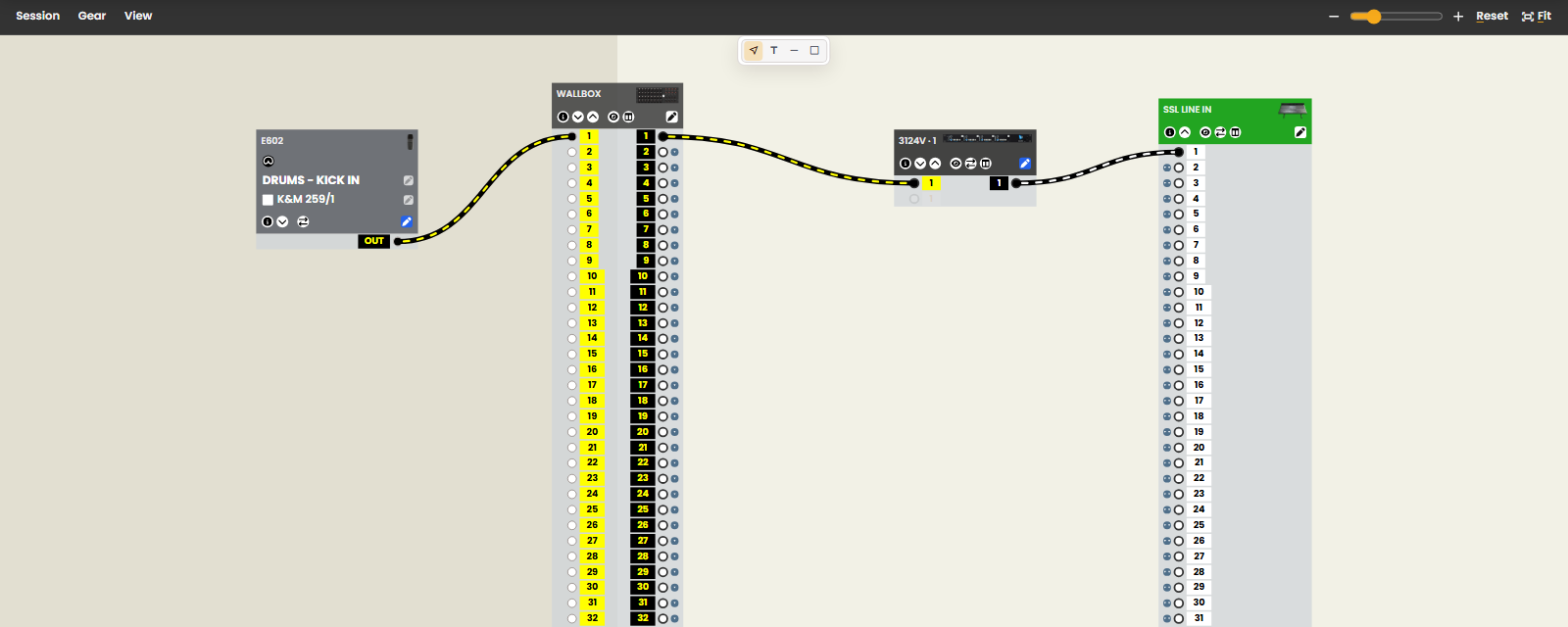
Session Designer is a plan of your session drawn with our own equipment list: every microphone, stand, preamp, console channel, wallbox line and patchbay point is the real one. Build the setup before you arrive, follow the signal paths, see which cables and stands it needs, and hand assistants a checklist for the room. Plans are kept on the computer you made them on; export the session file to bring it with you or send it to us.
The Session Designer guide explains why we built it and walks through every part of the tool, with a link into the interactive tour under each heading. Or open the band demo and press Take the tour.
The checks catch the specific problems they are designed to catch. A clear plan still needs to be set up, line-checked and listened to in the room.
Find technical information when you need it
Each piece of gear has notes on what it's good for, and many have the manufacturer's manual one click away. The rack and patchbay diagrams show how everything is connected.
In the studio, a technical assistant that knows this room's equipment can answer questions and help explore possible recording approaches when it has been set up for your session. Ask about the tools available for your session when arranging a visit.
Any assistance is optional. You can question it, adapt it or ignore it, and you can make your own decisions entirely independently of it.
Work your own way
You do not need to use Session Designer or AI to engineer here. Bring the working methods that suit the project, and use the studio's resources where they help. Our approach explains the thinking behind the facilities and preparation tools; the AI policy explains the assistant's permitted role.
Arrange the practical details
Check Rates for room hire, engineering charges and current requirements. If you are bringing a laptop, the interface drivers you need are listed with the Studio rate. Unattended hires have an insurance requirement, also described there.
Get in touch to discuss a project, arrange a technical walkthrough or check a particular requirement.
Ready when you are
Talk through a project, ask for a technical walkthrough, or open Session Designer and start planning.